
Blog
Azure Administrator Training for Real IT Roles
- October 3, 2026
- Posted by: newmacobitdxb
- Category: Uncategorized
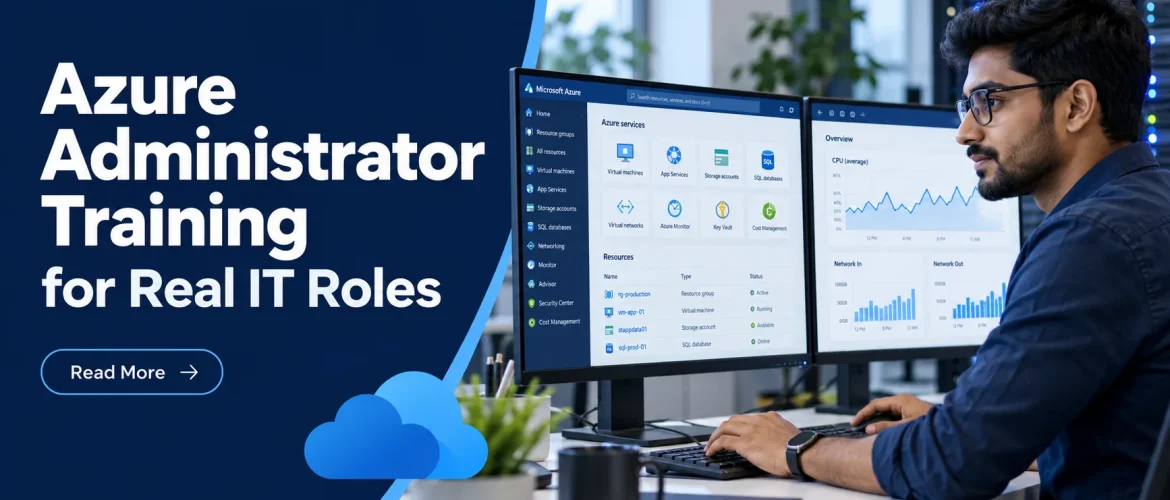
Cloud computing has changed the way companies build, manage, and access IT infrastructure. Instead of keeping every server and application inside a physical data center, businesses can use cloud platforms to run virtual machines, store data, manage identities, host applications, and monitor infrastructure.
For freshers, career upgraders, and professionals switching into IT, this creates an opportunity to build skills around cloud administration. Microsoft Azure is one of the major cloud platforms used for infrastructure and business services, making Azure administration a useful area to explore for people planning a career in IT infrastructure.
However, learning Azure should not be limited to understanding cloud terminology or preparing for a certification. Real cloud administration involves configuring resources, managing access, understanding networks, monitoring systems, and troubleshooting problems. This is why practical learning matters when choosing cloud administration courses in Dubai.
What an Azure Administrator Actually Does
Azure administrators manage the cloud environment that supports an organization’s applications, users, data, and infrastructure. The role sits between day-to-day IT operations and cloud strategy. You may work closely with system administrators, network engineers, cybersecurity teams, developers, and service desk staff.
A typical workday can include creating resource groups, deploying virtual machines, assigning role-based access control permissions, configuring virtual networks, reviewing backup jobs, or investigating alerts in Azure Monitor. In a smaller company, one administrator may handle many of these responsibilities. In a larger environment, the work may be more specialized.
This matters because cloud administration is not only about provisioning a virtual machine. A virtual machine has to be placed in the right network, protected by the right rules, monitored, backed up, cost-controlled, and accessible only to approved users. Training that isolates each topic without showing how they connect leaves a major skills gap.
What Azure Administrator Training Should Include
A career-focused program should build skills in the same order you would use them on the job: understand the environment, deploy resources, secure access, operate services, and troubleshoot issues. The Microsoft Azure Administrator certification path, commonly associated with AZ-104, provides a useful framework, but the learning should not stop at the exam outline.
Azure foundations and resource management
You need to understand subscriptions, management groups, resource groups, regions, tags, and Azure Resource Manager. These are not minor administrative details. They determine how an environment is organized, who can manage it, and how costs can be tracked.
For example, an administrator may use tags to identify a project, department, or owner for each resource. Without consistent tagging, a finance team may see cloud charges but struggle to know which business unit created them. This is a practical governance problem, not just a theory question.
Identity, access, and security controls
Identity is central to Azure administration. Training should cover Microsoft Entra ID, users and groups, role-based access control, multifactor authentication concepts, and least-privilege access.
A common real-world scenario is straightforward: a developer needs access to a test environment but should not be able to delete production resources. The correct response is not simply to make them an administrator because it is faster. You need to identify the appropriate scope and role, then confirm that access works without creating unnecessary risk.
Compute, storage, and network services
Cloud administrators need hands-on experience with virtual machines, storage accounts, Azure Files, managed disks, load balancing concepts, virtual networks, subnets, network security groups, DNS, and connectivity options.
These areas are closely connected. If a new virtual machine cannot communicate with another workload, the cause could be an incorrect subnet, a network security group rule, a route issue, a DNS setting, or an operating system firewall. Live lab practice teaches you how to check each layer logically rather than guess.
Monitoring, backup, and recovery
Employers value administrators who can keep systems stable after deployment. That means learning Azure Monitor, alerts, Log Analytics concepts, backup policies, recovery services, and basic recovery planning.
A backup that has never been tested is only a promise. In practical training, you should create a backup policy, review job status, understand retention settings, and work through a recovery scenario. The goal is to know what to do when a business user needs a file, server, or workload restored under pressure.
Why Live Labs Make the Difference
Watching an instructor create Azure resources is useful, but it is not the same as doing the work yourself. The most valuable lessons often happen when a deployment fails, an access rule does not behave as expected, or an alert generates confusing information. Those are the moments when you build troubleshooting habits.
A strong lab environment lets you practice creating and managing resources repeatedly without risking a production system. You should make configuration choices, verify results, spot mistakes, and correct them. That repetition turns commands and portal screens into operational skill.
Azure also changes regularly. Portal layouts, service options, and recommended practices evolve. Rather than trying to memorize every screen, learn how to read a requirement, identify the service involved, validate a configuration, and use documentation effectively. This approach stays useful even as the platform develops.
Certification Helps, but Experience Gets Discussed
AZ-104 can strengthen your profile because it signals that you understand a recognized Azure administration framework. It can be especially useful for candidates moving from desktop support, Windows Server administration, networking, or another IT discipline into cloud roles.
However, certification alone does not answer the questions hiring managers often ask: What did you configure? How did you secure access? What would you check first if a virtual machine was unreachable? How would you reduce costs in an underused environment?
The strongest candidates can connect certification concepts to lab-based examples. They can describe a resource group they organized, a network they configured, a backup they tested, or an access issue they resolved. They do not need to claim enterprise-level experience they do not have. Clear, honest explanations of practical work are far more credible.
What Career Paths Can Azure Skills Support?
Azure administration can be a starting point for several IT career directions. A learner may begin with an entry-level support or infrastructure role and gradually move toward cloud-focused responsibilities.
Possible career directions can include:
- Cloud Support
- Azure Administration
- IT Infrastructure
- System Administration
- Cloud Operations
- Technical Support
- Network and Cloud Infrastructure
The exact role you qualify for will depend on your overall skills, experience, communication ability, and practical exposure. Azure should therefore be viewed as one part of a broader IT career development plan.
For freshers, the goal can be to build strong fundamentals and gain enough practical exposure to discuss real technical scenarios confidently. For working professionals, Azure can add cloud capabilities to existing networking, systems, or support experience. For career switchers, it can provide a structured route into infrastructure and cloud technologies.
Choosing the Right Azure Training
When looking at cloud administration courses in Dubai, avoid choosing a program only because it includes a certification name. Look at what you will actually learn and practise.
A useful program should explain cloud concepts clearly, provide hands-on labs, include troubleshooting scenarios, and help you understand how Azure connects with traditional IT infrastructure.
For beginners, the learning path should also be progressive. Starting with cloud fundamentals, followed by identity, networking, virtual machines, storage, security, and monitoring can make the subject easier to understand.
Your goal should be to finish training with more than notes and a certificate. You should have practical examples that you can explain on your CV and during interviews.
Azure administration is ultimately about managing technology to support real business requirements. Building that understanding through practical learning can help freshers, career upgraders, and career switchers develop a stronger foundation for their next IT opportunity. For those exploring IT training in Dubai, learning Azure alongside networking and system administration can also provide a broader understanding of modern IT infrastructure and support long-term career development.
Build a Job-Ready Azure Portfolio
You do not need a complicated project to show useful Azure administration ability. A well-documented lab environment can demonstrate more than a long list of course modules. Build a small environment with a virtual network, segmented subnets, virtual machines, role assignments, monitoring alerts, and backup configuration.
Then document your decisions. Explain why you selected a certain network security group rule, how permissions were assigned, what alert threshold you configured, and how you would respond to a problem. Include screenshots only where they support the story. The objective is to show that you understand the operational reason behind each action.
If you already have experience in Microsoft Server, Linux, Cisco networking, VMware, or cybersecurity, connect it to Azure. Windows Server knowledge supports identity and virtual machine management. Networking skills help with subnets, routing, and security controls. Linux administration helps when managing cloud-based workloads. Security knowledge makes access control and monitoring more meaningful.